Using the AI Trading Assistant
5 min read
The AI Trading Assistant reads live OI, news sentiment, gamma zones and India VIX, then produces a full analysis for an index — a verdict, ranked trade setups with entry/target/stop-loss, a quick scalp, a day plan and sector outlook. It is educational analysis, not investment advice.
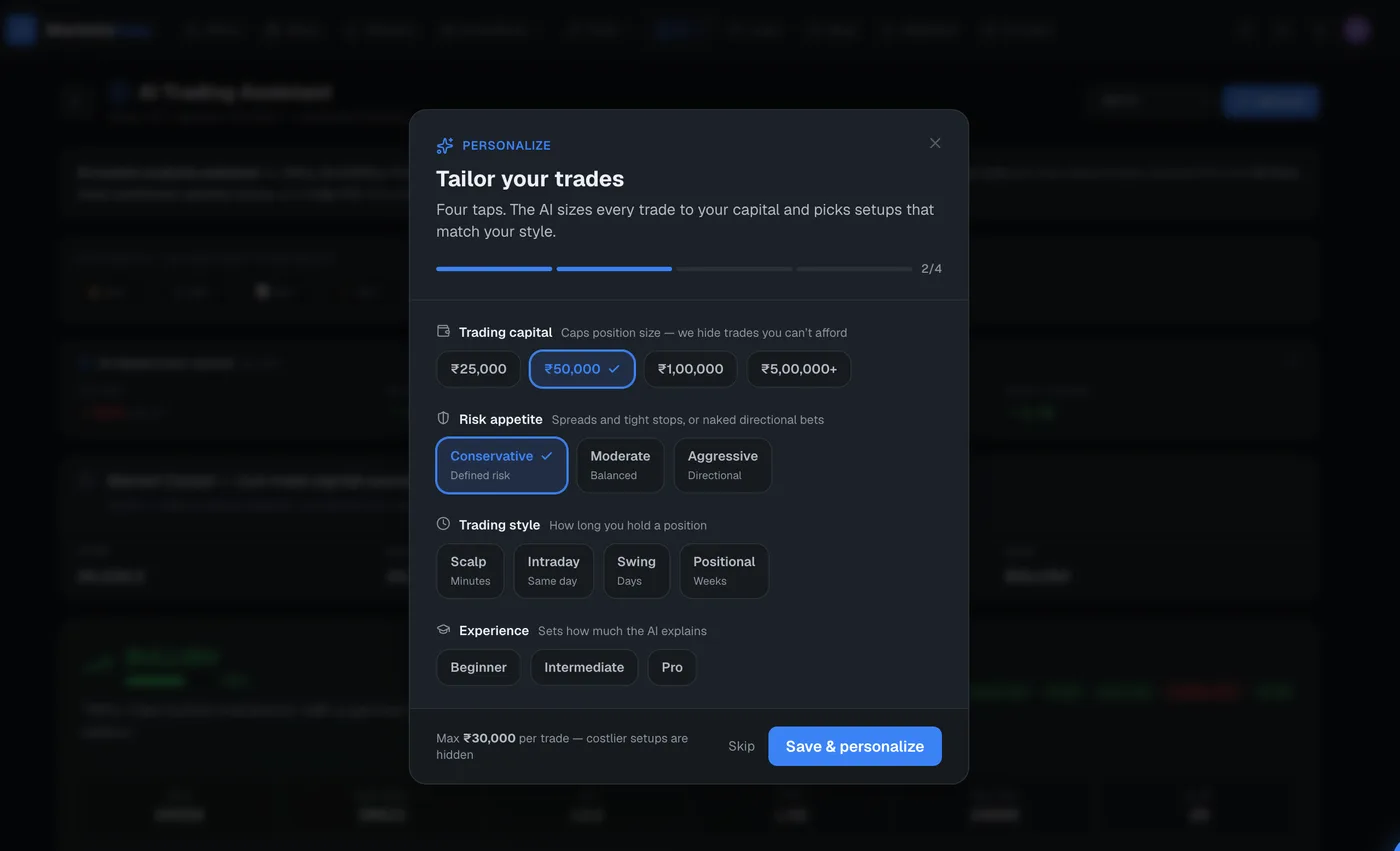
Set your trader profile (optional)
The profile bar lets you set your capital, risk appetite, trading style and experience. When set, the AI tailors position sizes and trade types to you. First-time visitors get a quick onboarding prompt; you can change it any time and the analysis re-runs.
Generate a plan
- 1Pick an index from the symbol dropdown — NIFTY, BANKNIFTY, FINNIFTY, SENSEX or MIDCPNIFTY.
- 2The AI analyzes automatically (this takes a few seconds and uses one AI query).
- 3Read the verdict and confidence bar at the top, then the ranked trade setups below.
Opening this page auto-generates a plan, so the first load on a symbol counts as one AI query — unless a recent plan for that symbol is served from cache, which is free. Switching symbols runs a new analysis.
Read the trade setups
Each top trade setup shows a rank, the action, the instrument, entry, target and stop-loss, the risk-reward ratio, a conviction score and a trade-type badge (SCALP, INTRADAY, SWING or POSITIONAL). Above them, quick stats show Nifty, Bank Nifty, VIX, PCR, max pain and OI direction, plus a confluence score that summarises how aligned the signals are.
You will also see data-source badges (Market, OI, News, AI) showing which inputs were live for this analysis — useful for judging how complete the read is.
Run a What-If scenario
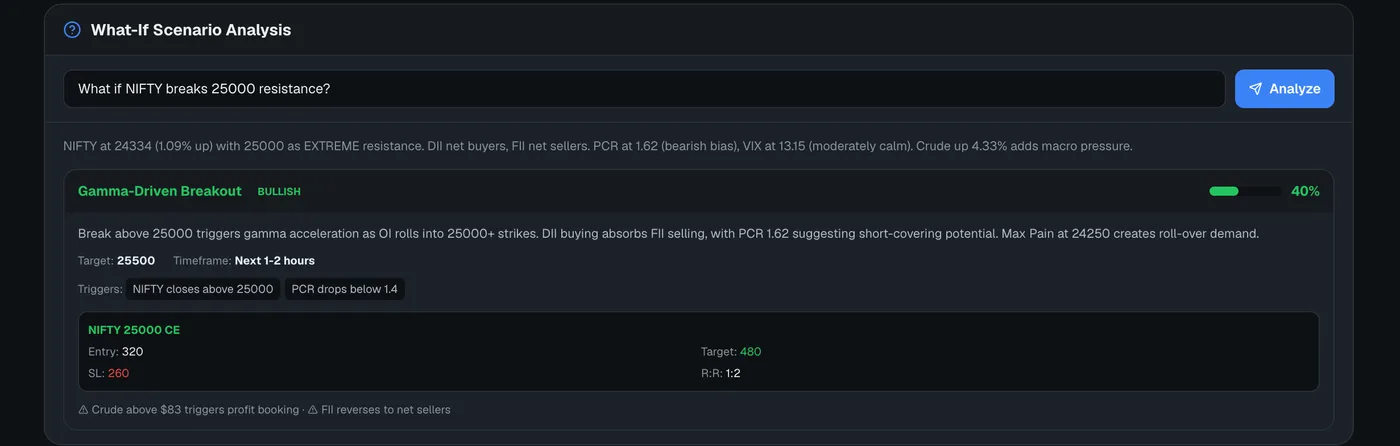
The What-If Scenario Analysis box lets you ask things like “What if NIFTY breaks 25,000 resistance?” and get a multi-branch plan. Use the quick-scenario buttons or type your own, then click Analyze. Each What-If run uses one AI query.
Outside market hours
When the market is closed, live trade cards are replaced by a snapshot — spot, max pain, PCR and bias — so you can still study positioning without stale intraday setups.
Open the AI Trading Assistant
AI trade plans with entry, target and stop-loss from live data.
Frequently asked questions
Does the AI Trading Assistant give buy/sell tips?
It produces educational analysis — computed levels, setups and scenarios from live data. It is not investment advice or a recommendation to buy or sell, and MarketsEasy is not a SEBI-registered adviser. You decide whether to act.
How many AI queries does it use?
One query per fresh analysis. Opening the page auto-generates a plan (one query), switching symbols runs another, and each What-If scenario is one more. Recent cached results are free.
Do I need to set a profile?
No — it works without one. Setting your capital, risk and style just tailors the position sizing and trade types to you.