Using the OI Tracker
5 min read
The OI Tracker shows how open interest is building and unwinding in real time — with charts of OI change, PCR, support/resistance levels and both rule-based and AI signals. It is where you watch positioning shift through the session.
Set up your view
- 1Pick a symbol from the picker (indices plus F&O stocks; BANKEX is included).
- 2Choose your ±Strikes window (5 to 20 around ATM) and the expiries to include.
- 3Set the refresh interval — 5s, 10s, 15s, 30s or 1 minute — and toggle LIVE.
New to OI? Turn on Beginner mode for plain-language labels, and open the “How to read this?” panel for a quick primer.
Read the stat strip
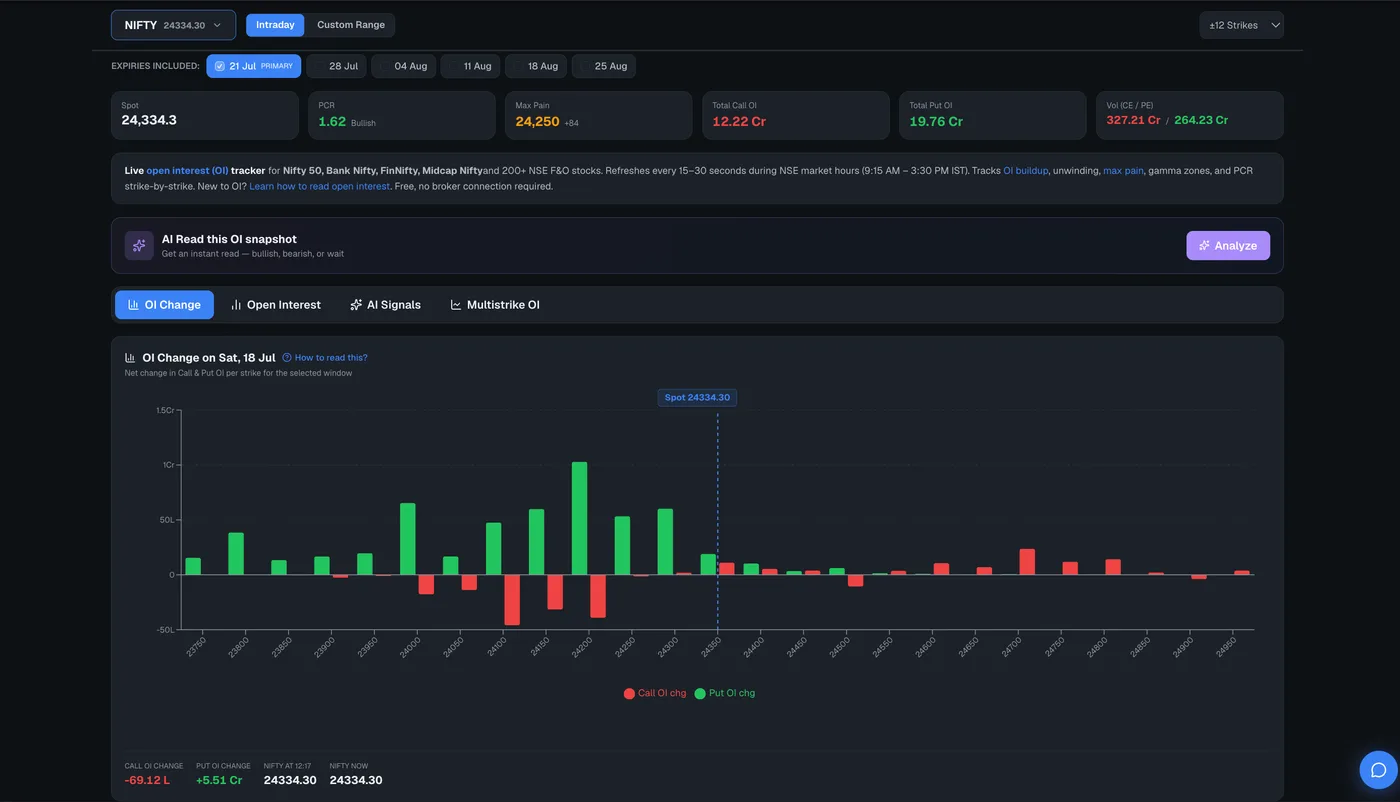
The top strip shows spot and change, PCR and bias, max pain and distance, and total call/put OI — the quick read on where positioning sits right now.
Switch between the tabs
- OI Change — how OI has moved intraday (the buildup/unwinding view).
- Open Interest — total OI at each strike right now.
- AI Signals — rule-based and AI-generated signals with entry/target/SL and conviction.
- Multistrike OI — up to six CE/PE strikes plotted against spot over time.
Read support, resistance and signals
Support/resistance level badges show the strike, its strength, the underlying put/call OI and a NEAR flag when price is close. The direction meter summarises bias, and the AI desk summary gives a verdict, conviction and a trade idea. A sound alert can play when a new signal fires.
The rule-based signals run on every refresh and are free. The AI enhancement re-runs when price or OI moves meaningfully (or when you click AI), and the AI desk summary counts against your daily AI quota.
Open the OI Tracker
Live intraday OI change, multistrike charts and signals.
Frequently asked questions
What is the difference between OI Change and Open Interest tabs?
The Open Interest tab shows total OI sitting at each strike right now; the OI Change tab shows how that OI has moved during the session — the buildup and unwinding — which is usually more telling for intraday direction.
How fast does the OI Tracker update?
You can set the refresh interval from 5 seconds to 1 minute. Polling automatically pauses when the browser tab is hidden to save data.