Building and reviewing your watchlist
4 min read
Your watchlist keeps the stocks and indices you care about in one place with live prices and day change — and an AI review that reads them together for risk and diversification.
Add stocks
- 1Use the Add a stock search box — type a name or symbol like “Reliance”, “TCS” or “NIFTY”.
- 2Pick from the results, or tap a Popular picks chip to add common names fast.
- 3Remove any stock with the X on its row; open its detail page with the arrow.
Your watchlist saves locally and, when you are signed in, syncs to your account so it follows you across devices. There is no limit on the number of stocks.
Track live prices
Each row shows the last price and day change in ₹ and %. A summary card at the top counts advancers, decliners and unchanged so you can gauge your list’s day at a glance. Prices refresh automatically during market hours.
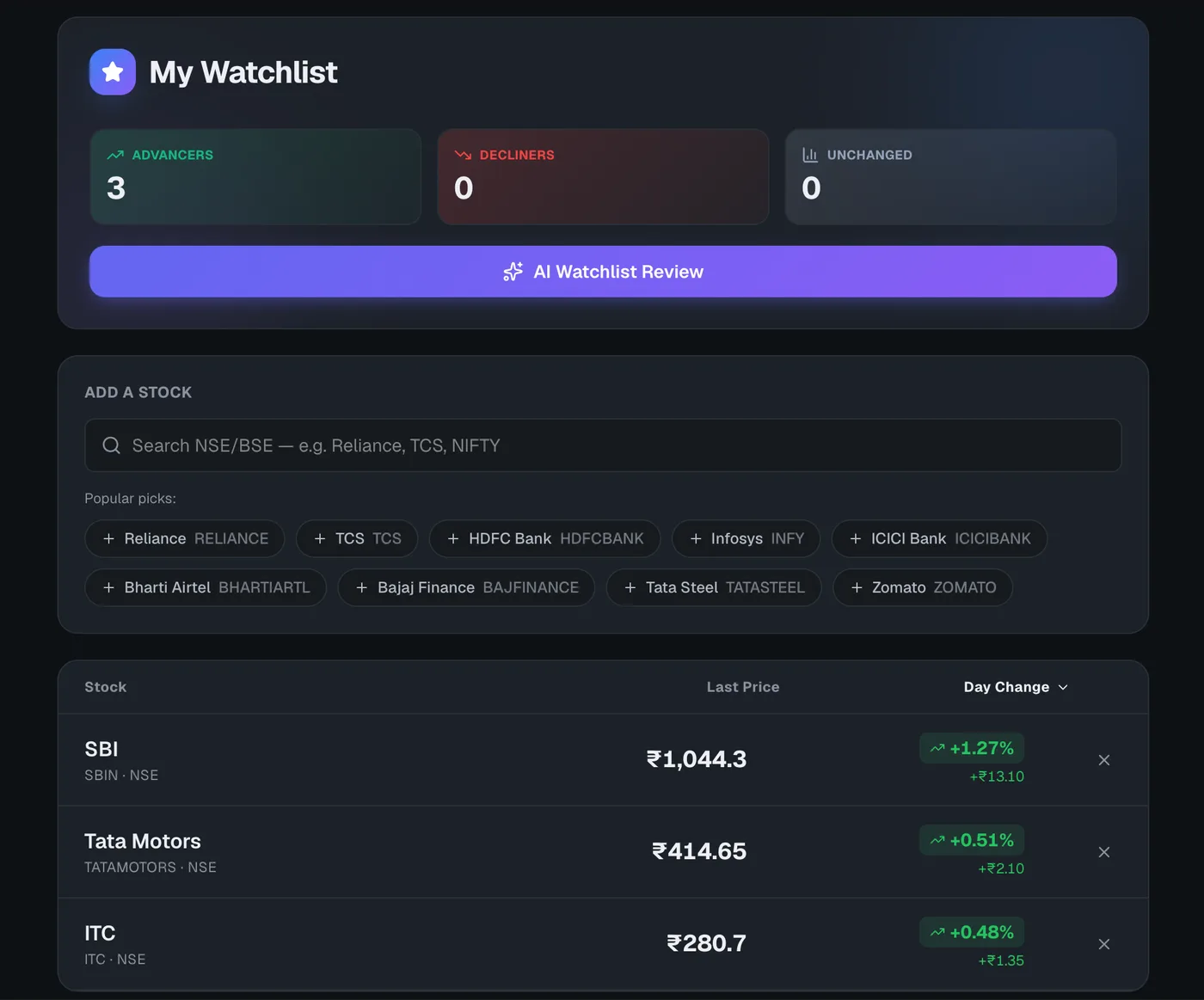
Run an AI Watchlist Review
With at least one stock added, click AI Watchlist Review to analyse the whole list together. The review returns an overall risk level, a diversification score out of 10, sector-concentration notes, and a card per stock with a verdict (BUY/HOLD/SELL), confidence, target and stop-loss, plus opportunities and warnings.
The AI Watchlist Review is an AI feature and uses one query. It is educational analysis of your list, not investment advice.
Open your watchlist
Live prices, day change and an AI review of your whole list.
Frequently asked questions
Does my watchlist sync across devices?
Yes, when you are signed in. Your watchlist saves to your account and follows you across devices; if you are not signed in it is kept locally in your browser.
What does the AI Watchlist Review analyse?
It reads all your stocks together — flagging sector concentration risk, scoring diversification out of 10, and giving each stock a verdict with target, stop-loss, opportunities and warnings. It costs one AI query and is educational, not advice.